Movie Box APK 2026 – (Official Website ) Movies App Download

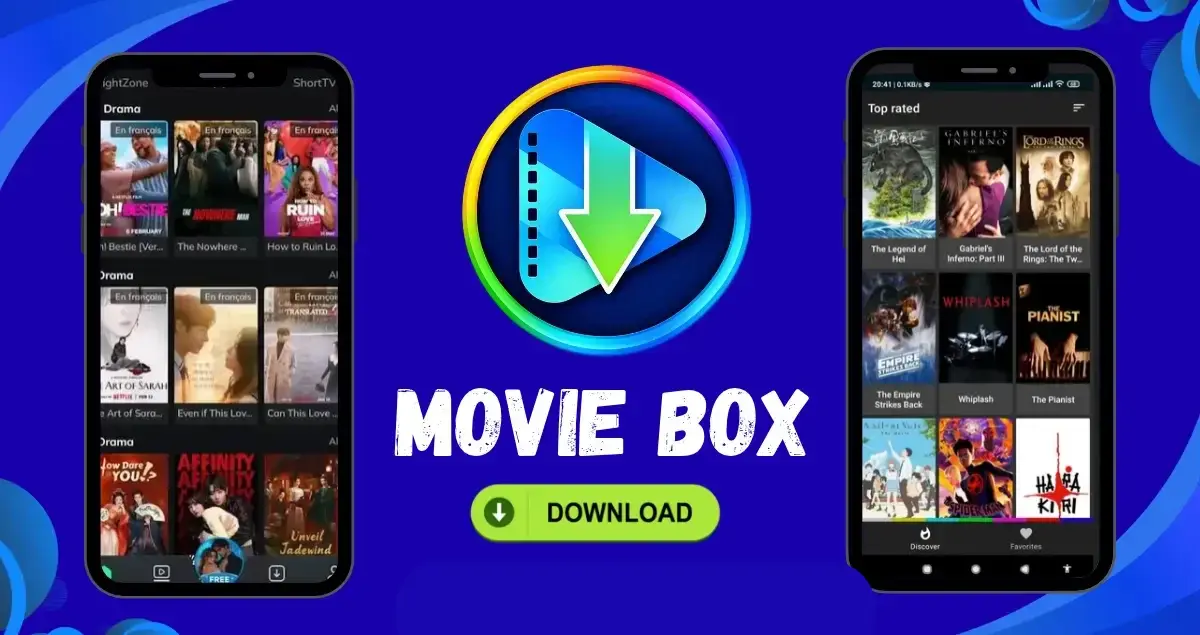
MovieBox Official APK Download lets you install the MovieBox streaming app on your Android device. The app allows you to watch movies, TV shows, and live TV in one place. It works on Android phones, Fire TV devices, and smart TVs with a simple and easy-to-use interface.
MovieBox APP Details
| App Name | MovieBox |
|---|---|
| Size | 66.39 MB |
| Current Version | v4.0.03 |
| Android Required | 4.0 or above |
| License | Free |
| Category | Entertainment |
| File Format | APK |
| Last Update | 31/10/2026 |
MovieBox is a convenient streaming application, which allows you to access live television, films and programs at any time. It is compatible with Android-powered phones, Fire stick, and smart TVs. It is meant to be used by those who simply wish to tap and play.
The MovieBox app keeps things simple with no complicated menus and no confusing settings. It offers smooth video, clear sound, and a layout anyone can use. To enjoy this, you don’t need to be matser in technology. On this page, you’ll find how to get started, where to find a safe MovieBox download, and tips to keep things running smoothly from the start.
What Is MovieBox?
MovieBox is a lightweight streaming platform made for daily use. This app will fit your lifestyle, it allows watching a movie at home, catching up on the cricket match, or having a show on the go even when you are traveling, this application will not slow you down.
You can watch it on your android phone in the day and TV at night. This application keeps track of your previous reading, thus no one has to search once more. Even with a slower connection, the material loads quickly, the buttons are easy to see and the layout is neat. Family’s love that kids can use this application easily. Older users also enjoy this application because it doesn’t feel cluttered. Many people watch a quick clip on mobile, and then finish the full episode on a bigger screen. That real-world flow is what makes it useful.
Best Key Features of MovieBox
Extensive Content Library
One of the most appealing features of a streaming application is its content library. MovieBox-related services may offer a selection of movies and TV shows across different genres. A well-organized library makes it easier for users to discover entertainment that matches their interests, from action and adventure to romance, comedy, and drama.
User-Friendly Interface
A search function can help users find a specific movie or television series quickly. Instead of browsing every category, users can enter a title or another supported keyword. This feature is particularly useful for people who already know what they want to watch. Search accuracy and available filtering options may vary by version.
Multiple Content
Content categories make it easier to explore different types of entertainment. Depending on the service, categories may include action, comedy, horror, thriller, romance, science fiction, animation, and drama. Organizing content by genre creates a more structured browsing experience and helps users discover titles that suit their mood.
Easy Search Function
A search function can help users find a specific movie or television series quickly. Instead of browsing every category, users can enter a title or another supported keyword. This feature is particularly useful for people who already know what they want to watch. Search accuracy and available filtering options may vary by version.
Video Quality Options
Video quality plays an important role in the viewing experience. Some streaming services provide different resolution options to accommodate various devices and internet connections. High-definition video can deliver clearer images, while lower resolutions may be more suitable for limited bandwidth. The available quality settings depend on the content source and the specific MovieBox version.
Convenient Video Playback
A reliable video player makes watching movies and TV shows more enjoyable. Common playback controls include play, pause, seeking, volume adjustment, and full-screen viewing. Some compatible players may also support subtitles and playback-speed controls. Actual features depend on the application and its integrated or external player.
Mobile-Friendly Experience
Mobile compatibility is valuable for users who prefer watching entertainment on smartphones and tablets. An interface designed for smaller screens can make navigation, searching, and playback more comfortable. However, the experience depends on the application’s design, operating system requirements, and compatibility with the device being used.
Subtitle Support
Subtitles help viewers understand dialogue, follow unfamiliar languages, and enjoy international content. When supported, subtitle options can improve accessibility and make movies easier to follow in noisy environments. Availability varies by title, language, and playback system, so users should check which subtitle options are actually provided.
Multiple Language Options
Language flexibility can make a streaming service more accessible to a wider audience. Depending on the content provider, certain movies may include dubbed audio tracks or subtitles in different languages. These options allow viewers to choose a more comfortable way to enjoy entertainment. However, multilingual support should not be assumed for every title.
Flexible Viewing Experience
Different users have different viewing preferences. Features such as adjustable video quality, full-screen playback, subtitle controls, and playback navigation can help create a more flexible experience. When these controls are available and easy to use, viewers can adapt playback to their devices, surroundings, and internet conditions.
Offline Viewing Possibility
Offline viewing is useful when internet access is limited or unavailable. Some authorized streaming services allow users to download eligible content and watch it later. However, this feature is not guaranteed across MovieBox versions. Users should verify download availability and follow the content provider’s terms before saving videos.
Personalized Content
Content recommendations can help users discover movies and shows that match their interests. Some streaming platforms use viewing activity or selected preferences to suggest relevant titles. This can reduce the time spent searching for something to watch. Whether MovieBox offers personalized recommendations depends on the specific service and version.
Efficient Data Usage
Managing data consumption is important for users with limited mobile internet plans. Lower video resolutions generally use less data than higher resolutions, although actual consumption depends on several factors. If the application provides quality settings, choosing an appropriate resolution can help balance viewing clarity with data usage.
Compatibility and Performance
A streaming application should work reliably on supported devices. Compatibility depends on the operating system, hardware resources, available storage, and network conditions. A well-optimized application can provide smoother navigation and playback, but performance varies between devices. Checking official system requirements before installation helps users avoid common compatibility problems.
Security and Privacy Awareness
Security is an essential consideration when choosing any entertainment application. Users should obtain MovieBox from a trustworthy source, review requested permissions, and check the provider’s privacy policy. Unverified installation files may create security risks. Choosing legitimate content sources and keeping device security features enabled can help protect personal information.
Movie Box Add-Ons Explained
Add-ons form the core of what makes Movie Box work so well by building extra features right into the app and helping you discover new videos or extra details about what you are watching. These add-ons handle a variety of tasks, such as loading movie information and organizing collections, fetching subtitles in different languages, or linking directly to online streaming sources. Because of this design, you get total freedom to customize your app, picking only the specific tools and services you actually want to use instead of being stuck with a bunch of bloated, built-in features you do not need. However, whenever you decide to set up a new add-on, it is always a good idea to verify where its video links come from and make sure that source has the proper permission to share or stream that media.
Minimum Requirement
For Android
- OS: 5.0 or Above (Lollipop, API 21)
- RAM: Minimum 1 GB or Higher for Mods
- Storage: 0.5 GB or more for Mods assets
- Processor: Quad-core processor or above
- Versions: latest Android versions.
For PC
- OS: Windows 10 or 11
- RAM: Minimum 4 GB or Higher for Mods
- HDD/SSD: Minimum 5GB of free space
- Processor: Intel CPU
- Versions: latest Android versions.
Download and Install Moviebox MOD APK for Android
The APK file requires a few more steps to install. But it is not that hard. The steps are as below:-

- In order to allow the Moviebox Download APK file, you should enable the application download. So to do this, go to the settings menu of your device. Then select ‘security’. Activate the function of ‘unknown sources’.
- After that click on the given link and download the APK file.
- Then open the file explorer and find the downloaded APK file. The file sometimes will be in Downloads. Tap on this file and click on the ‘install’ button.
- Then the install wizard will continue until the finish. Answer questions in the middle of any popup. Once done with the installation, the application is ready to use on Android.
Movie Box Download for PC
Here are the things that you have to follow if you are using an Android emulator,
- Movie Box Download is mainly for mobile devices and it doesn’t support the other Operating Systems. But there’s an alternative that can be used.
- Download an emulator on the device. An emulator helps to download applications that are designed for mobile devices onto desktops. Bluestacks or Nox Player are highly recommended.
- Open the emulator and go to the ‘my apps’ section. Search ‘MovieBox APK’ on the search bar.
- Select the app from the search results and install it. It will be installed under the emulator on the desktop.
- After installing, it is ready to use.
Download for Android TV
- Go to the Google Play store on TV and search for Movie Box Download
- Select the app from the list and click on ‘Install’
- Wait for it to install and after installing, it’s ready to use
Movie Box Download For iOS
Movie Box Download is available on Apple devices. So you can install it directly from the App Store. Follow the steps below to complete the process,
- At first, Open the App Store on the IOS device.
- So next click on the search icon located at the bottom left of the screen.
- After that, type Movie Box Download on the search bar.
- There will be a list of search results of the apps showing. Click on the application with the original logo.
- Then a separate tab will be opened and it will show a blue colored button named GET. Click on the button and wait for the installation to complete.
- But sometimes the application will require the apple id and a password. This should be given in order to continue the download process.
- So after installation, the device will automatically open the application. It is now ready to use.
Movie Box and Streaming Services
Movie Box is completely different from a standard paid video service like Netflix, Disney+, or Prime Video. While those popular platforms license their own movies and shows and stream them directly to your screen, Movie Box works as a smart organizing hub. It brings together information, titles, and suggestions from various places using downloadable add-ons rather than hosting videos itself. Because of this, finding a movie listed inside MovieBox does not mean the platform owns the video file or stores it on its own servers. Viewers should always check where a video link is actually coming from and choose legal, authorized options to watch their favorite content.
Is MovieBox Pro Free?
MovieBox is a free media organization program that you can download and use without paying a recurring monthly fee. While the software itself costs nothing, watching specific movies and TV shows through it often requires money. MovieBox acts as a single hub that connects to various external video sources and official streaming services, so you still need active paid accounts with those individual platforms to watch their paid content. Simply having the MovieBox app on your device does not grant free legal access to every video listed within its catalog.
MovieBox vs Traditional Streaming Apps
Standard video streaming platforms handle everything in one place. They buy the rights to shows and movies, build their own apps, host the videos on their own servers, and offer a specific collection of titles for a monthly fee.
MovieBox works in a completely different way. Instead of providing its own videos, it acts as a single control center that connects to outside services and add-ons. It helps you search, organize, and track media scattered across many different places rather than hosting the content itself.
Because of these fundamental differences, each option fits a different kind of viewer. A standard subscription service is ideal if you want a simple, all-in-one package with a guaranteed library of movies and shows. MovieBox is better suited if you want a single search screen to manage and discover videos coming from multiple platforms and sources.
How to Get Started With MovieBox
Getting started is quite simple and requires only a few clear steps. To begin, you need to download and install the application on your device using a recognized and secure download source. Once the software is installed, you can set up a new account or sign into an existing one if the system supports user profiles.
After logging in, you will need to customize your experience by adding extra tools or features known as add-ons. It is important to look over each option carefully and choose only reliable sources that you have permission to access. With these features configured, the initial setup is finished, allowing you to easily look up movies and television series, browse through details about different titles, save your favorite shows to a personal collection, and start streaming content from enabled providers.
Pros Cons
Pros
- Free Access of all content
- Extensive Content Filtering
- The app is easy to use and navigate
- Run well even on a slow internet connection
- It offers videos in HD quality
Cons
- This is a third party App
- Not available for iOS device
- Your device may be damaged or hacked
- Some ads in this app may annoy you
- Don’t rely too much on free premium content
Conclusion
MovieBox is a name worth researching for users interested in movie and television streaming applications. Features such as content discovery, convenient navigation, video playback, subtitle support, and offline viewing can contribute to a useful entertainment experience when they are genuinely available.
However, features and availability should be verified for the specific version rather than accepted as universal claims. Device compatibility, streaming quality, privacy, installation security, and content licensing are equally important considerations.
By checking the developer, reviewing permissions, and choosing legitimate content sources, we can make more informed decisions about streaming applications. A reliable entertainment experience should combine convenience with transparent practices, dependable performance, and respect for users’ privacy and content rights.
FAQ,s
Is MovieBox Free to Use?
Pricing varies by service and version. We should check the provider’s official terms to determine whether access is free, subscription-based, or subject to other charges.
Does MovieBox Support HD Streaming?
Some versions or services may provide HD playback, but the available resolutions depend on the video source, application, device, and network connection.
Can We Download Movies With MovieBox?
Download support varies. Users should verify whether the specific service offers authorized offline viewing and follow its stated restrictions.
Is MovieBox Safe to Install?
Safety depends on the developer, download source, application permissions, and security practices. We recommend avoiding unverified APK files and using trusted distribution channels.
Does MovieBox Offer Subtitles?
Subtitle availability depends on the application and the individual title. We should check the supported languages and accessibility features before relying on them.
Can MovieBox Work on Older Android Devices?
Compatibility depends on the application’s minimum requirements, Android version, hardware, and available resources. Not every release will work on older devices.
What Are the Alternatives to MovieBox?
Alternatives include licensed streaming platforms, official broadcaster applications, and legitimate free streaming services. The best option depends on content preferences, regional availability, pricing, and device compatibility.